



This guide explains how clients can request the cancellation of their hosting or other services step by step.
Steps to Place a Cancellation Request
-
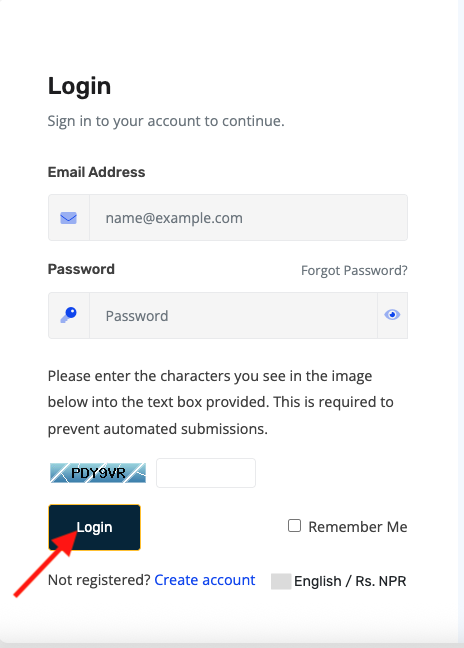
Log in to your Client Area
- Go to https://portal.prabhuhost.com/clientarea
- Enter your username and password.
-
-
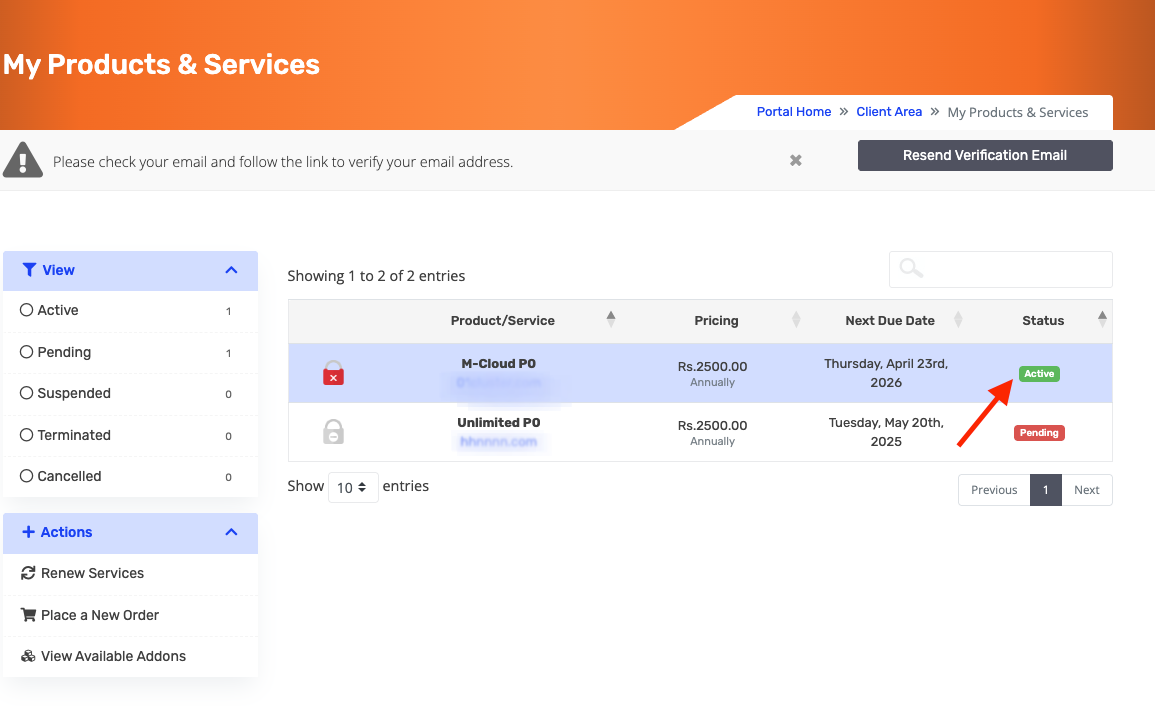
Navigate to My Services
- Click Services → My Services from the dashboard.

- Select the hosting/service you want to cancel.
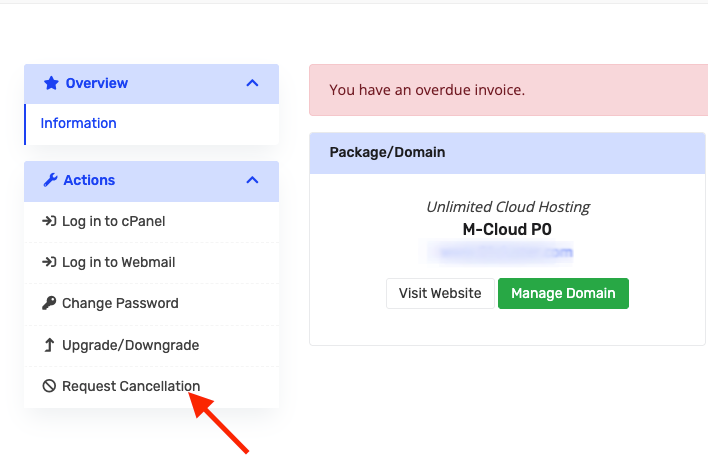
3. Click on Request Cancellation
-
On the service details page, click the “Request Cancellation” button.
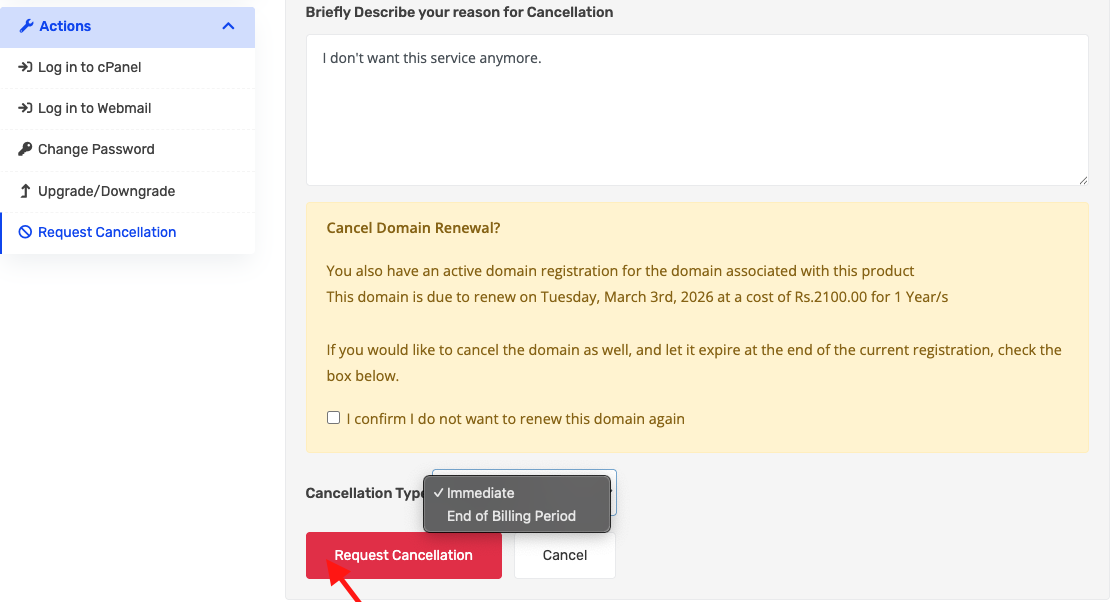
4. Choose Cancellation Type
-
Immediate: Service stops immediately; no further billing.
-
End of Billing Cycle: Service remains active until the end of the paid period.
5. Provide Reason
-
Fill in a reason for cancellation.
6. Confirm the Request
-
Click Request cancellation to complete the cancellation request.
Notes & Tips
-
Once submitted, the system will process your cancellation automatically.
-
You will receive a confirmation email once the cancellation is completed.
