



This guide helps you renew your hosting or other services via the Client Area to avoid downtime and ensure continuous service.
Steps to Renew Your Hosting
-
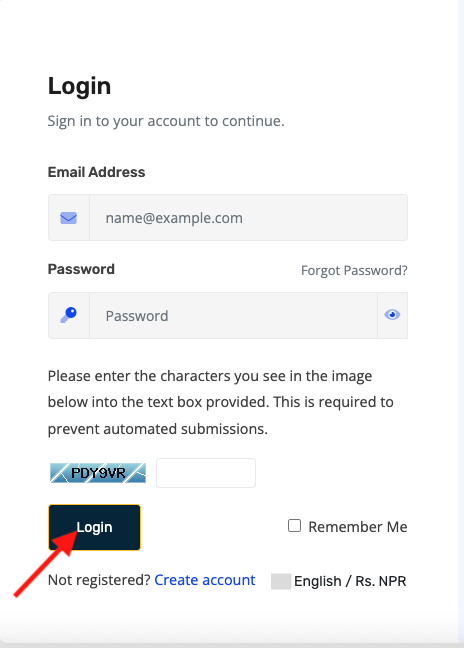
Log in to Your Client Area
- Go to https://portal.prabhuhost.com/clientarea
- Enter your username and password.
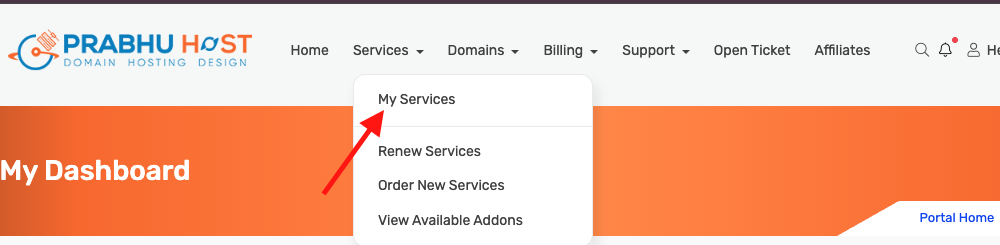
- Navigate to My Services
-
Click on Services → My Services from the dashboard.
-
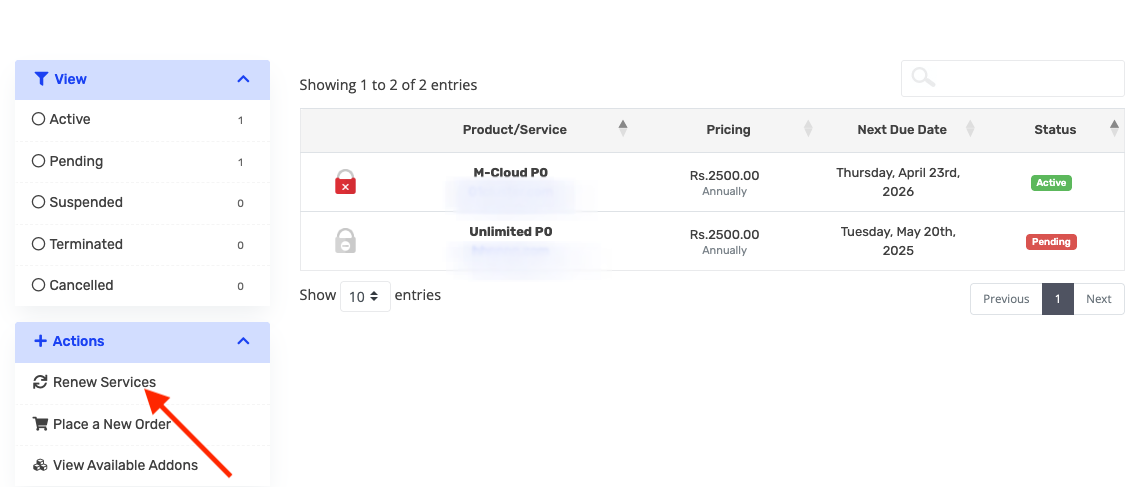
- Click Renew
-
Click the “Renew” button next to your service.
-
Choose Renewal Period
-
Select how many months or years you want to renew your service.
-
Review pricing and total amount.
Add to Cart for Early Renewal
-
If your invoice is not yet generated, click Add to Cart.
-
Then proceed to payment to renew the service early.
Complete Payment
-
Proceed to payment via your preferred method.
-
Once payment is successful, your service will be extended immediately.
Confirmation
-
You will receive a confirmation email once the renewal is successful.
