






If you want to prevent certain visitors from accessing your website, cPanel provides an easy way to block IP addresses or fully qualified domain names (FQDNs) using the IP Blocker tool.
Steps to Block an IP Address
-
Log into your cPanel account.
-
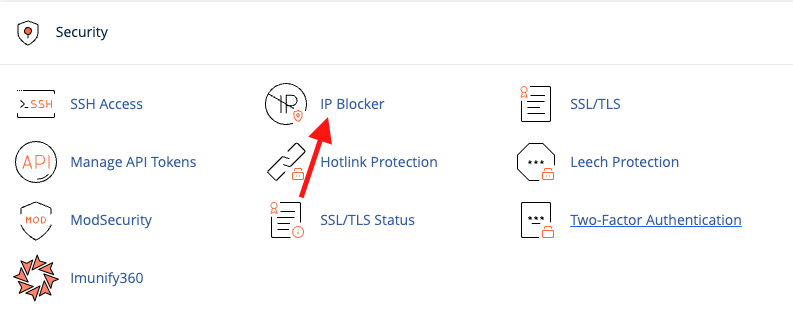
In the Security section, click on IP Blocker.
-
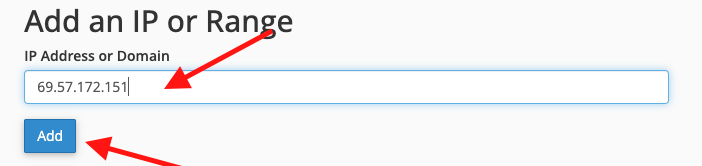
In the IP Blocker interface, you can:
-
Enter a single IP address
-
Enter a range of IP addresses
-
Enter a domain name (FQDN)
Then click Add to block the entry.
-
-
Scroll down the page to see a list of all blocked IPs. From here, you can also remove any blocked IP or domain by clicking Delete.

Tip: Blocking an IP prevents any requests from that IP from reaching your website, which can help reduce unwanted traffic or malicious activity.
