







Google may flag websites as unsafe for users if it detects malware, hacks, or suspicious activity. These warnings can appear in search results or in browsers using Google Safe Browsing, such as Chrome and Firefox.
Signs Your Website May Be Blacklisted
-
Google search results show “This site may be hacked” or “This site may harm your computer.”
-
Spam links, redirects, or unexpected changes appear in your site.
-
Malware alerts from your hosting provider or antivirus software.
Types of Warnings
-
This site may be hacked – Google suspects your site has been altered by a hacker, often with spam pages or malicious content.
-
This site may harm your computer – Google detects malware on your site that could infect visitors’ devices.
Other messages may include:
-
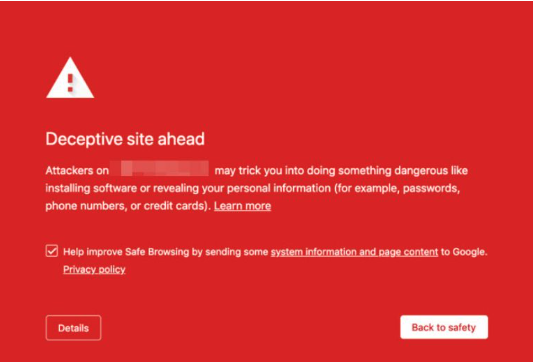
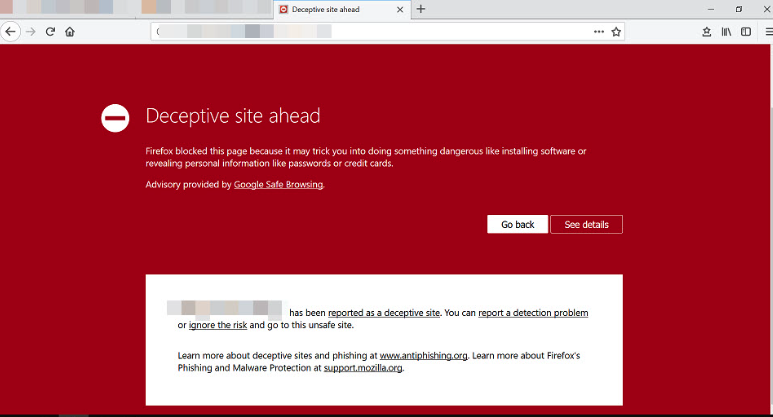
Deceptive site ahead
-
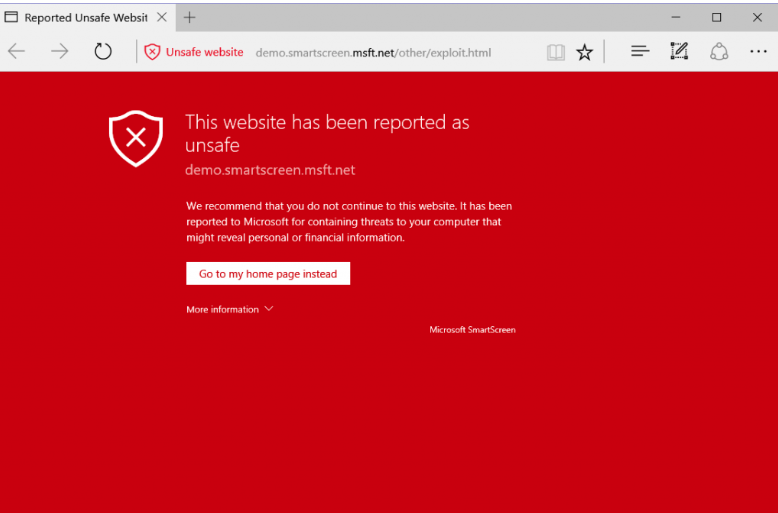
This website has been reported as unsafe
Steps to Remove Your Website from Google Blacklist
-
Check Safe Browsing Status
Use Google’s Safe Browsing tool to see if your site is flagged. -
Use Google Search Console: Google Search Console
-
Sign in and add your website.
-
Verify ownership using the recommended method.
-
Navigate to Security Issues to identify problematic URLs.
-
Resolve malware or hacked content and request a review from Google.
-
-
Clean Your Website
-
Remove malicious files or spam pages.
-
Restore from a clean backup if necessary.
-
Update all plugins, themes, and CMS versions to the latest.
-
-
Prevent Future Blacklisting
-
Use strong passwords and smart usernames for admin accounts.
-
Enable CAPTCHAs on forms and login pages.
-
Disable directory listing in
.htaccessusing:Options -Indexes -
Use SSL certificates (HTTPS) to secure connections.
-
Regularly back up your website.
-
-
Re-request Review in Google Search Console
Once your site is fully cleaned and secured, submit a review request to remove the blacklist warning.
Summary:
Maintaining site security is crucial. Keeping plugins updated, using strong passwords, employing CAPTCHAs, and monitoring your site with Google Search Console will reduce the risk of blacklisting. If your site is flagged, follow these steps to clean it and request removal from Google’s blacklist.
