







What Is Hotlink Protection?
Hotlinking happens when another website directly links to files hosted on your server such as images, videos, or other media and displays them on their own site.
When this occurs, your server still delivers the files, which means your bandwidth is used even though the traffic comes from another website.
Hotlink protection prevents other sites from directly using your hosted content.
Enable Hotlink Protection in cPanel
Follow these steps to enable the feature:
-
Log in to cPanel.
-
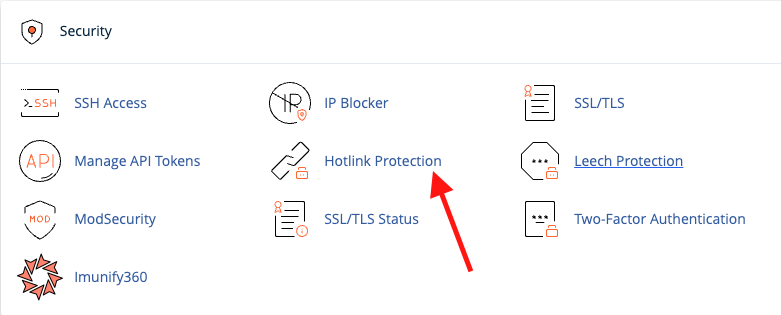
Navigate to Security → Hotlink Protection.
-
Click Enable.
After enabling, you can configure additional settings:
-
Allowed Referrers
Add the URLs of websites that are allowed to link to your files. -
Protected File Extensions
Enter the file types you want to protect (for example:.jpg,.png,.gif).
Any website attempting to hotlink these file types will be blocked. -
Allow Direct Requests
If enabled, visitors can still access files by entering the direct URL in the browser. -
Redirect Option
You can set a custom URL where visitors will be redirected if a hotlink attempt is detected.
-
Click Submit to apply the changes.
Disable Hotlink Protection in cPanel
-
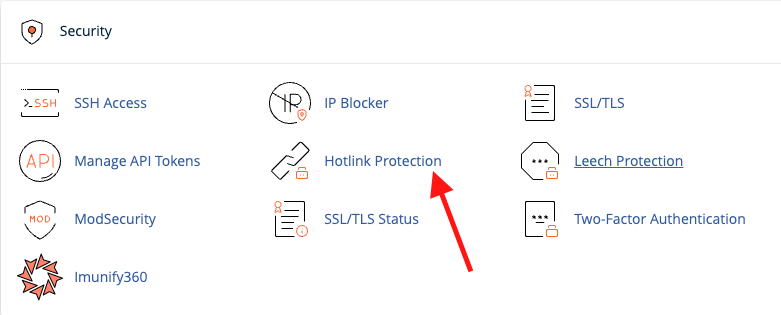
Go to cPanel → Security → Hotlink Protection.
-
Click Disable.
Note: Disabling this feature removes the list of allowed URLs, so it is recommended to save the list before turning it off.
Enable Hotlink Protection Using .htaccess
If you do not use cPanel, you can enable hotlink protection manually by editing the .htaccess file in your website’s root directory.
Add the following code:
RewriteEngine on

# Remove this line if you want to block empty referrers
RewriteCond %{HTTP_REFERER} !^$

RewriteCond %{HTTP_REFERER} !^https?://(.+\.)?example.com [NC]
RewriteRule \.(jpg|jpeg|png|gif|bmp)$ - [NC,F,L]
Replace example.com with your own domain.
Display a Custom Image When Hotlinking Is Blocked
Instead of blocking access completely, you can show a placeholder image.
Replace the last rule with:
RewriteRule \.(jpg|jpeg|png|gif|bmp)$ https://example.com/blocked.png [R,L]
Visitors attempting to hotlink your images will see the replacement image instead.
Summary
Hotlink protection helps reduce unnecessary bandwidth usage and prevents other websites from embedding your hosted files. You can enable it easily through cPanel or manually using .htaccess rules.
