



Sometimes, even after updating your domain information, WHOIS may still show old data. Follow these steps to resolve it.
Possible Reasons
-
WHOIS Propagation Delay
-
Changes can take 24–72 hours to appear across all WHOIS servers.
-
-
WHOIS Privacy Protection / Default Settings
-
Many registrars hide certain info by default (like the organization or registrant details).
-
Even after updating, these fields may remain hidden until manually refreshed.
-
-
Cached WHOIS Data on Lookup Tools
-
Some WHOIS websites cache results. Refreshing may be necessary.
-
How to Refresh Updated WHOIS Info
-
Go to WHOIS page.
-
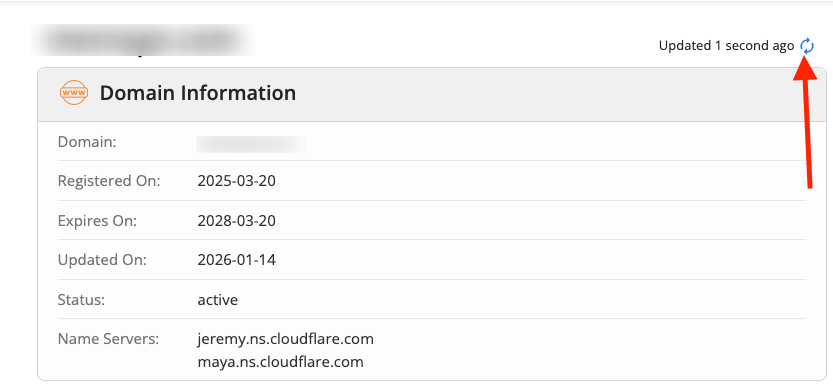
Look for the “Refresh” or “Update WHOIS” button at the top of the WHOIS section.
-
Click Update to push your new info.
If Info Still Doesn’t Appear
-
Some fields, like Organization/Registrant, may remain hidden by default.
-
In this case, contact the Support Team and request ORG enablement, we can make these fields visible publicly.
Quick Tips
-
Wait a few minutes after clicking refresh, changes may take time to propagate.
-
Only fields that are not hidden by privacy protection will display immediately.
-
Always verify via a different WHOIS lookup tool to confirm changes.
